

You can now manage your Retail VR planograms from Claude, simply by writing your request in plain language.
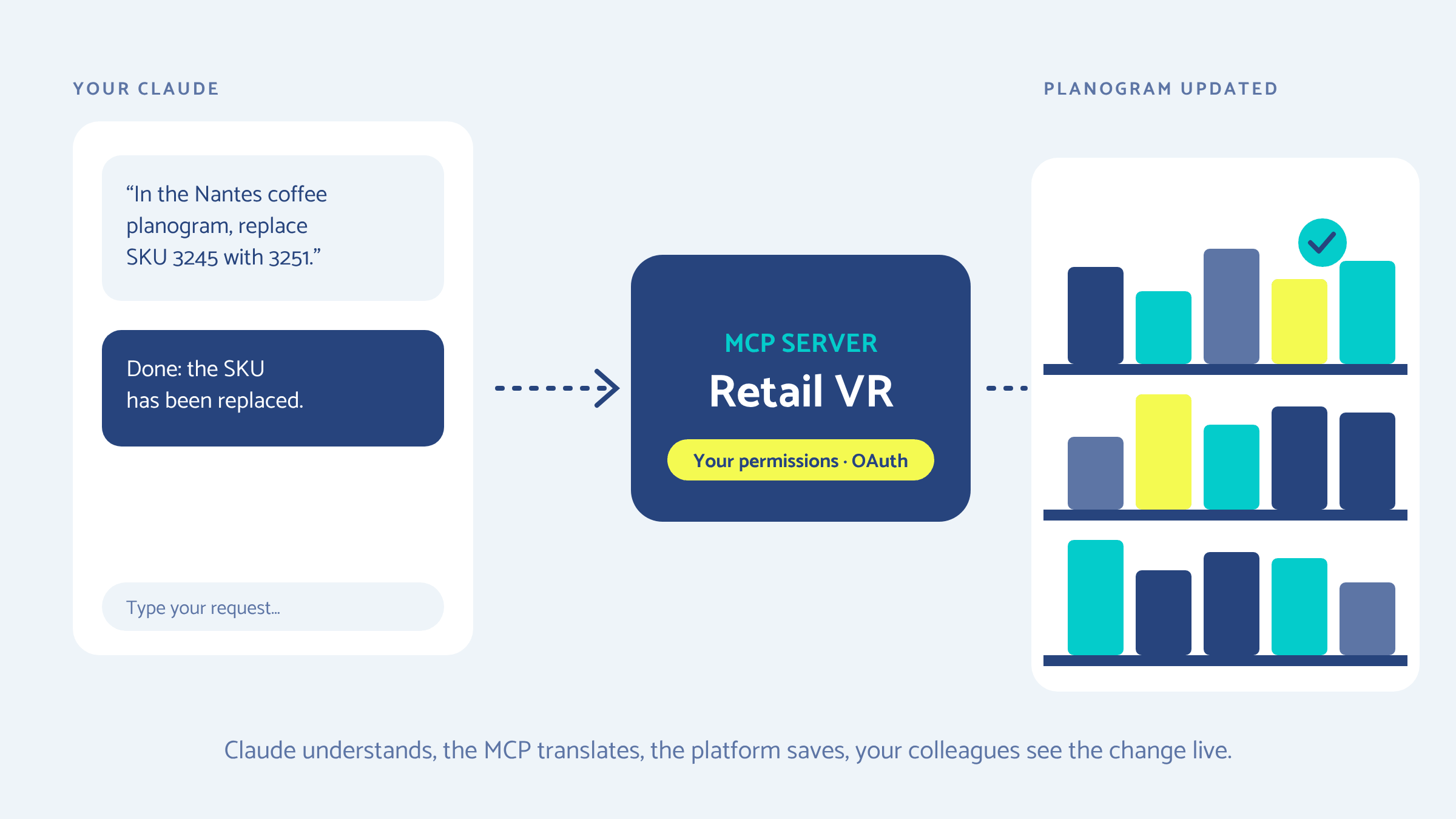
Our MCP server makes the link: Claude understands the request, Retail VR carries it out with your user permissions, and your colleagues see the result appear live in the platform. Here is how it works, how to connect it in a few minutes, and how your data stays protected.
- MCP (Model Context Protocol) is the open standard that lets an AI assistant such as Claude use a software application's tools.
- With the Retail VR MCP server, you read and edit planograms, stores and catalogs from Claude, with your own permissions.
- Connecting takes a few minutes: add a server address in Claude, then sign in with your Retail VR account.
What is an MCP server, and why does Retail VR offer one?
An MCP server is a gateway that gives an AI assistant controlled access to a software application's functions. Without it, Claude can advise you on a planogram, but it can neither open nor edit it.
The Model Context Protocol was open-sourced by Anthropic in November 2024. It has since become a de facto standard: it is used by Claude, ChatGPT, Gemini, Microsoft Copilot and VS Code, and more than 10,000 servers have been published. In December 2025, Anthropic handed it over to the Agentic AI Foundation, hosted by the Linux Foundation, alongside OpenAI and Block.
The official protocol documentation compares MCP to a USB-C port for AI applications: a standard plug that connects any compatible assistant to any compatible tool, with no custom development on either side.
For a merchandising team, the benefit is concrete. Much of the work on a planogram consists of finding a piece of information, checking a layout or applying a change across several stores. These are precise, repetitive tasks that can be described in one sentence. The MCP server lets you hand them over to Claude, while keeping the platform's data and rules.
What you can ask Claude
The MCP server gives Claude read and write access to your planograms, stores and catalogs. You phrase your request in one sentence, for example:
- "Open the coffee aisle planogram for the Nantes store and list the products on the shelf."
- "In this planogram, replace SKU 3245 with SKU 3251."
- "Show me the catalog products for the brand we are launching this month."
Claude answers in plain language, and the changes appear in the platform's 3D planograms. Colleagues who have the planogram open see the change without reloading the page.
How the Retail VR MCP server works: four building blocks
A request goes through four building blocks: Claude understands, the MCP translates, the back end saves, the websocket notifies.
The path of a request, step by step
- You write your request in plain language, in your Claude.
- Claude picks the right tools. It sees the list of tools offered by the MCP server (for example planogram_get to read a planogram) and calls them over an HTTPS connection.
- The MCP server translates the call into actions on the platform and checks that the data is consistent before writing anything.
- Your identity is verified. The Retail VR login page identifies you (OAuth): the MCP then acts with your permissions, and yours only.
- The Retail VR back end reads or saves the planograms, stores and catalogs concerned.
- The websocket alerts open screens. It stores nothing: it simply announces "this planogram has just changed".
- Your colleagues' screens (web app, 3D editor) update live.
The result then travels back to Claude, which answers you in plain language. It is the same principle as the collaborative platform: a single up-to-date version of the planogram, wherever the change comes from.
How to connect Claude to the Retail VR MCP server
The connection is made on the Claude side, by adding the Retail VR MCP server address as a custom connector: there is nothing to install on your end. Retail VR gives you this address when the service is activated.
In claude.ai or Claude Desktop (individual plans)
- Open Customize › Connectors.
- Click Add custom connector.
- Paste the Retail VR MCP server address, then confirm.
- Click Connect: the Retail VR login page opens. Sign in with your usual Retail VR account and approve access.
For teams (Team and Enterprise plans)
An owner of the Claude organization adds the connector once, in Organization settings › Connectors › Add › Custom. Each team member then finds it in their connectors and clicks Connect to sign in with their own Retail VR account. This matters: everyone works with their own permissions, not the administrator's.
In Claude Code (for technical teams)
The server is added with a single command line, then authentication is done from the session:
# Add the Retail VR MCP server
claude mcp add --transport http retail-vr <mcp-server-address>

# Then, in Claude Code, authenticate
/mcp
Once connected, you can turn the connector on or off for each conversation (+ menu › Connectors in claude.ai). The detailed steps are described in the Claude connectors documentation.
Your data stays with Retail VR: six security safeguards
The MCP server, the login page and the data run on Retail VR infrastructure; the only third party is Claude, which sees your requests and the answers. The server is hosted on Google Cloud, and every exchange goes through an encrypted connection.
Two points are worth stating clearly to your IT department. First, a user cannot do more through Claude than in the platform: a sales rep with read-only access stays read-only. Second, the content of requests and answers goes through Anthropic, the company behind Claude. If your internal policy governs the use of AI assistants, the same rules apply here.
Our view: AI suggests, the team decides
The MCP server doesn't replace merchandising judgment: it removes the time spent searching, copying and passing changes along.
- Decisions stay human. Claude carries out a precise request; the team always decides on the layout.
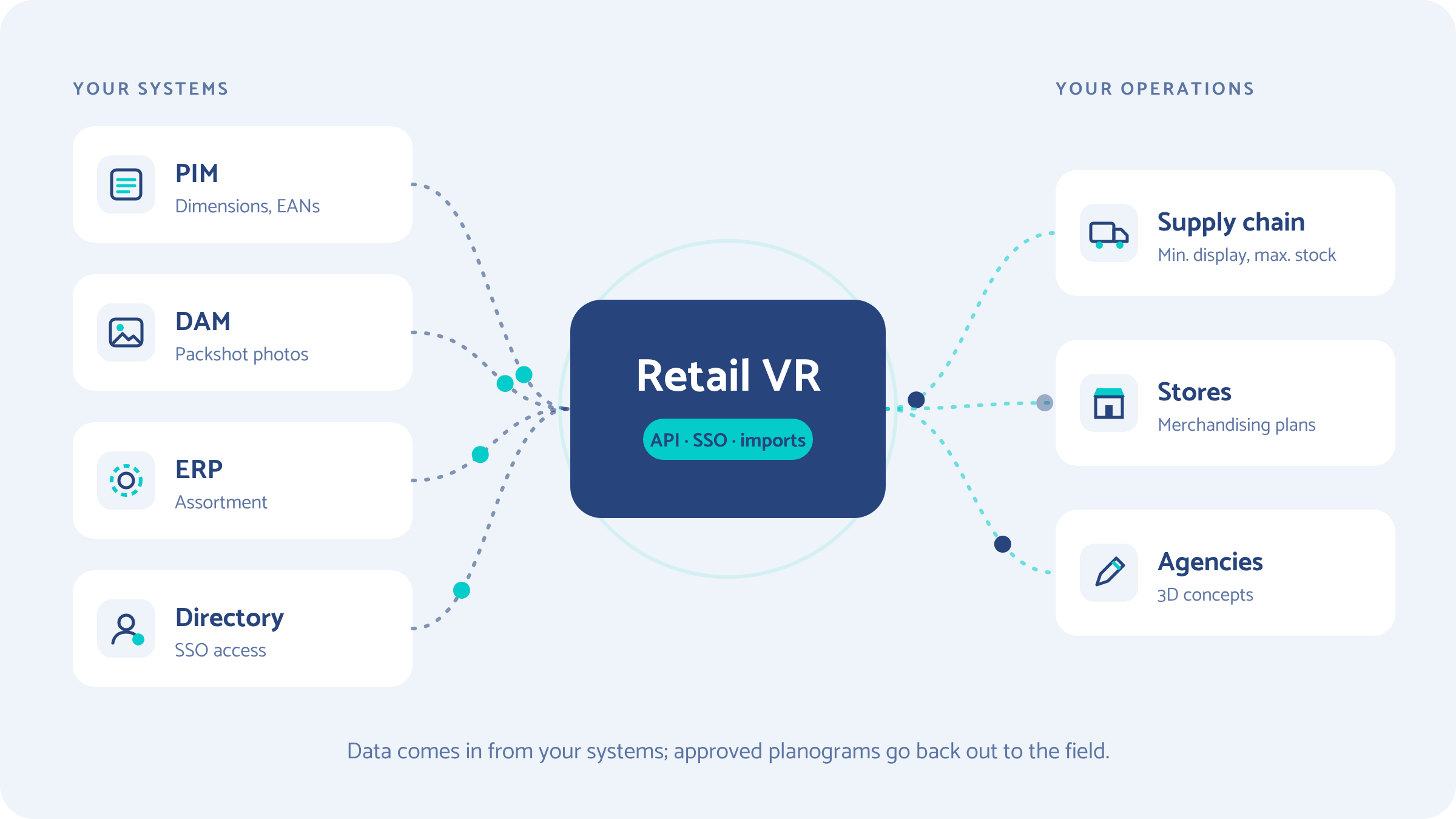
- Data quality is still the key. A plain-language request won't fix a wrong product record. That is why the MCP checks data consistency before writing, and why we insist on integrating the platform with your IT systems.
- Start with reading. The most useful first uses are often questions: finding a planogram, checking a layout, browsing a catalog. Writing comes next, once habits are in place.
MCP is part of our work on AI, from the automatic creation of 3D products from photos to product placement in planograms, described in our article on generative AI applied to planograms. The principle is always the same: less operational work, more thinking.
Frequently asked questions
What is MCP (Model Context Protocol)?
The Model Context Protocol is an open standard, published by Anthropic in November 2024 and now managed by the Linux Foundation's Agentic AI Foundation. It defines how an AI assistant such as Claude connects to a software application's tools to read data or carry out actions, in a controlled way and with the user's authorization.
Do I need to install anything to connect Claude to Retail VR?
No. The MCP server is hosted by Retail VR. You simply add its address as a custom connector in Claude (claude.ai, Claude Desktop or Claude Code), then sign in with your Retail VR account. On Team and Enterprise plans, an organization owner adds the connector once for everyone.
Can Claude edit planograms without authorization?
No. The MCP server only acts with the signed-in user's token: it can only do what that user is allowed to do in the platform. Every write is preceded by a data consistency check, and each user signs in personally with explicit consent.
Where is the data stored?
Planograms, stores and catalogs remain stored on Retail VR infrastructure, hosted on Google Cloud. The MCP server does not copy them anywhere else. The content of requests and answers is exchanged with Claude, Anthropic's assistant, over an HTTPS connection with an encrypted token.
Which Claude plans can use the Retail VR MCP server?
Custom connectors are available on Claude's Free (one connector), Pro, Max, Team and Enterprise plans. On Team and Enterprise, an organization owner adds the connector; members then connect to it with their own Retail VR account.
Next step
The easiest way to see the value of MCP is to try it on your own planograms, with two or three requests your team makes every week.
Want to connect Claude to your Retail VR workspace?
Activate the MCP server with our team →